Company-based software training
CIMCO software training for manufacturing teams
Learn the CIMCO workflows your team actually uses — Edit Core / Ultra, verification, DNC communication and programme management, configured for your machines and licences.
Training shaped around the working environment
Sessions are tailored to installed CIMCO products, licences, NC program types, CNC controls and learner experience. We agree measurable training objectives with each company before scheduling delivery. CIMCO Edit Core and Ultra are the current product levels; existing Standard or Professional installations can be supported as part of an agreed transition.
Company training modules
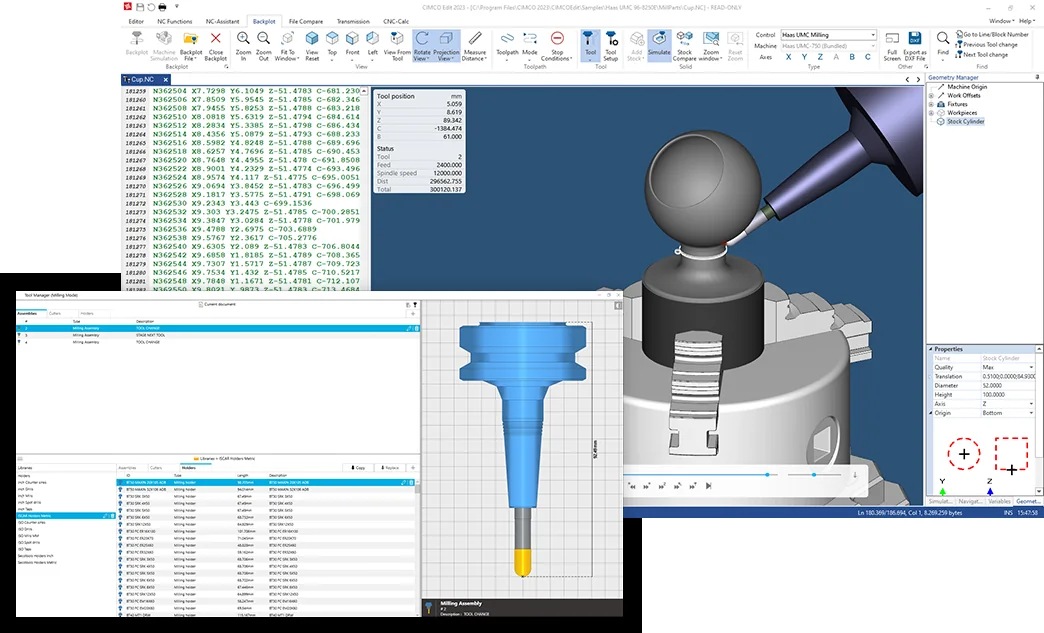
- CIMCO Edit Core: NC editing, file handling, program comparison and full backplot/toolpath visualisation.
- CIMCO Edit Ultra: GPU-based solid simulation, collision detection reporting and advanced verification functions.
- DNC-Max: controlled program transfer, communication setup and machine-side workflows.
- NC-Base / MDM: programme management, revisions, setup documentation and supporting production files.
- Machine Simulation: physical 3D machine-model verification where the separately licensed add-on is available.
For existing CIMCO Edit Standard / Professional licences, training can include the transition to Core / Ultra and a review of enabled features. Read MGC’s Core vs Ultra guide →
Each company receives a tailored quotation after confirming software versions, licence options, number of learners, machines/controls, location, duration and practical training objectives. No fixed per-person price is advertised.